

AI video walkthrough inspection is software that analyzes a continuous phone video of a room, compares what the camera passed against that room's own baseline, and returns findings. Each finding is a specific, visible condition: new damage, a missing item, missed cleaning, or something out of place, with the location in the room, a severity, and a timestamp into the video where the evidence sits. It checks anything visible that changed against the baseline or fails a visual standard. It does not check smell, water pressure, sound (the analysis is visual only), or the inside of a closed drawer, and it cannot check any room the walkthrough skipped. A person reviews the findings; the software's job is to make sure every room gets looked at.
The confusion around this category is understandable, because most software that says "video" means one of two other things. It means storing a video as an attachment on a task or an inspection question, or it means transcribing what the person filming said out loud. According to CompanyCam's help center (companycam.com), its AI Walkthrough "can create a summary and outline documentation from voice input and photos"; the video is context for the narration. According to the help documentation of Mitti, formerly SafetyCulture (mitti.com), an inspector can "record a video up to three minutes long" and attach it to a checklist question. Both are useful. Neither analyzes the footage. This page is about the third thing: the video itself is the evidence being inspected.
How it works, at the level an operator needs
Three stages, none of which change how a cleaner or room attendant already works. The walkthrough is the same phone video many teams already require at the end of a turnover; what changes is that something looks at it.
01
A baseline per room
The system learns what each space in each unit is supposed to look like from the property's own history: past turnover photos, past walkthroughs, and optionally a 3D scan. Bedroom 2 in Unit 14 has its own reference, not a generic "bedroom."
02
A walkthrough per turnover
The cleaner walks the unit at the end of the clean recording one continuous video, chest height, every room and wet area. Upload happens in the background; a checklist can be ticked while filming.
03
Findings, not footage
The video is compared against the baseline and the standard. What comes back is a short list of findings, each pointing to a second in the video, routed to whoever fixes it. Nobody watches the video unless a finding sends them to a timestamp.
The third stage is the whole point. At 90 seconds each, 200 turnovers is five hours of raw footage before anyone scrubs, pauses, or rewinds. As our comparison of video and photo inspections lays out, the industry's photo-only default exists because of human review time, not because photos are better evidence. Analysis removes the review time, which is what makes video viable at portfolio scale.
What a finding looks like
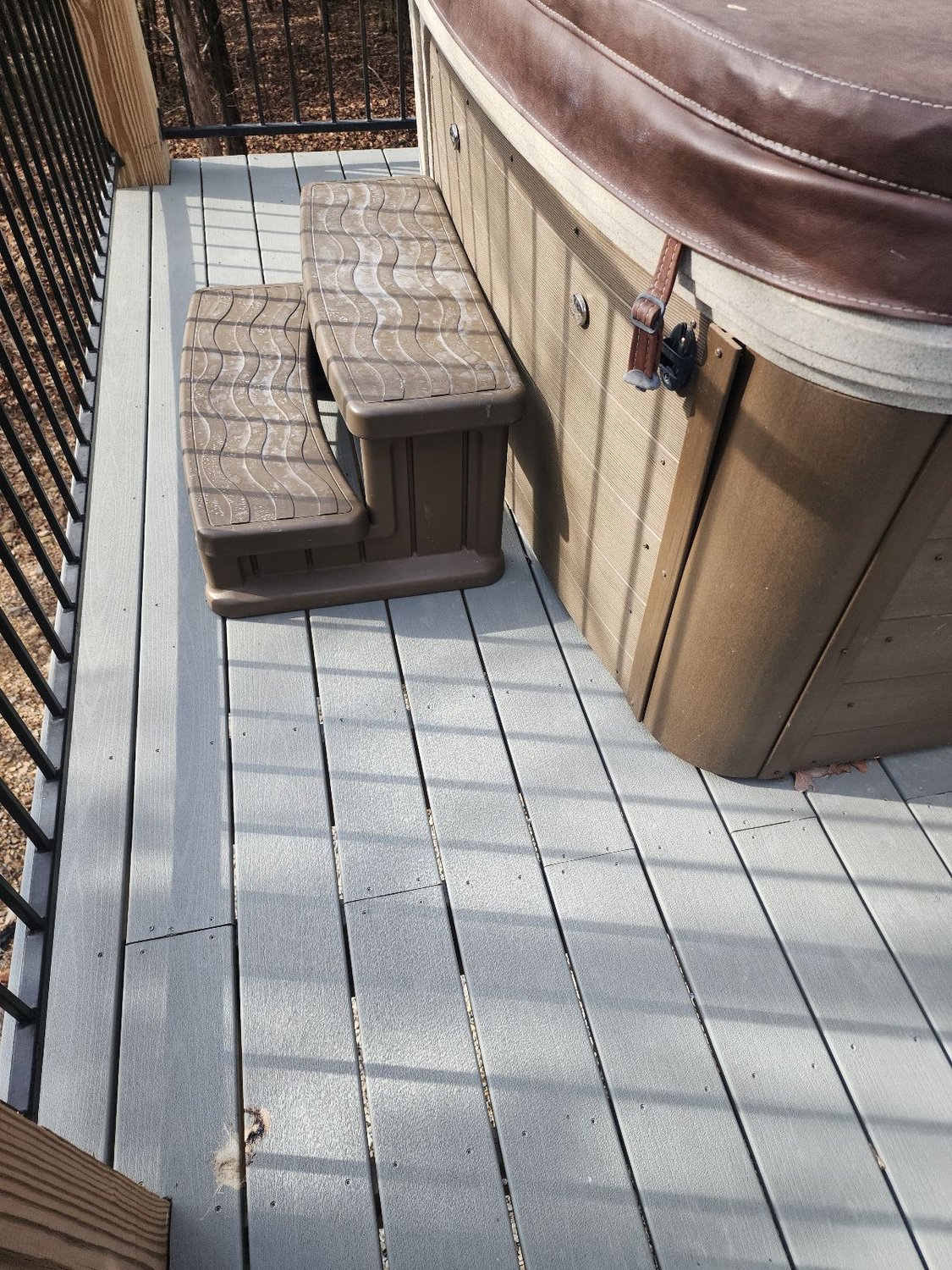
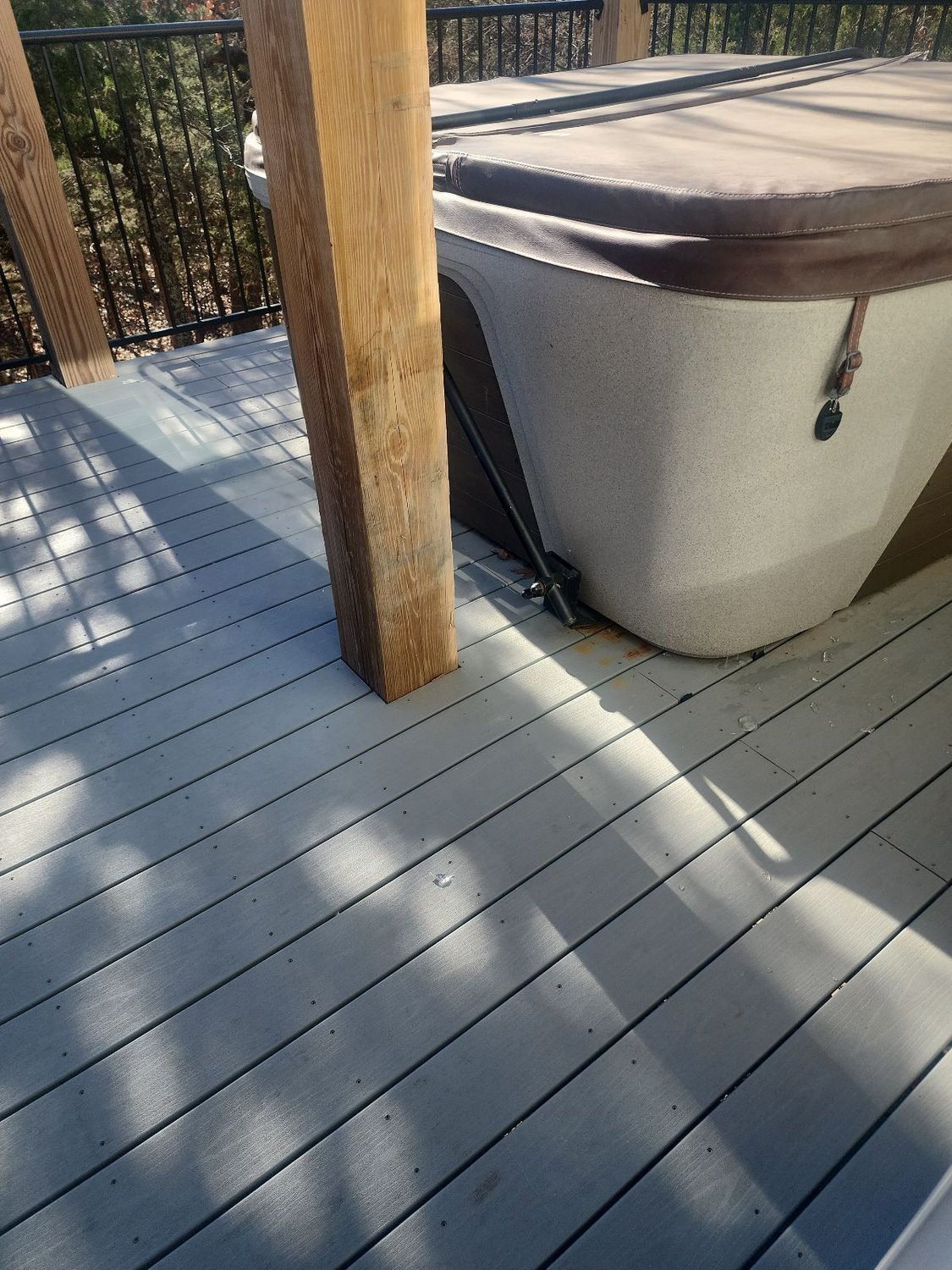
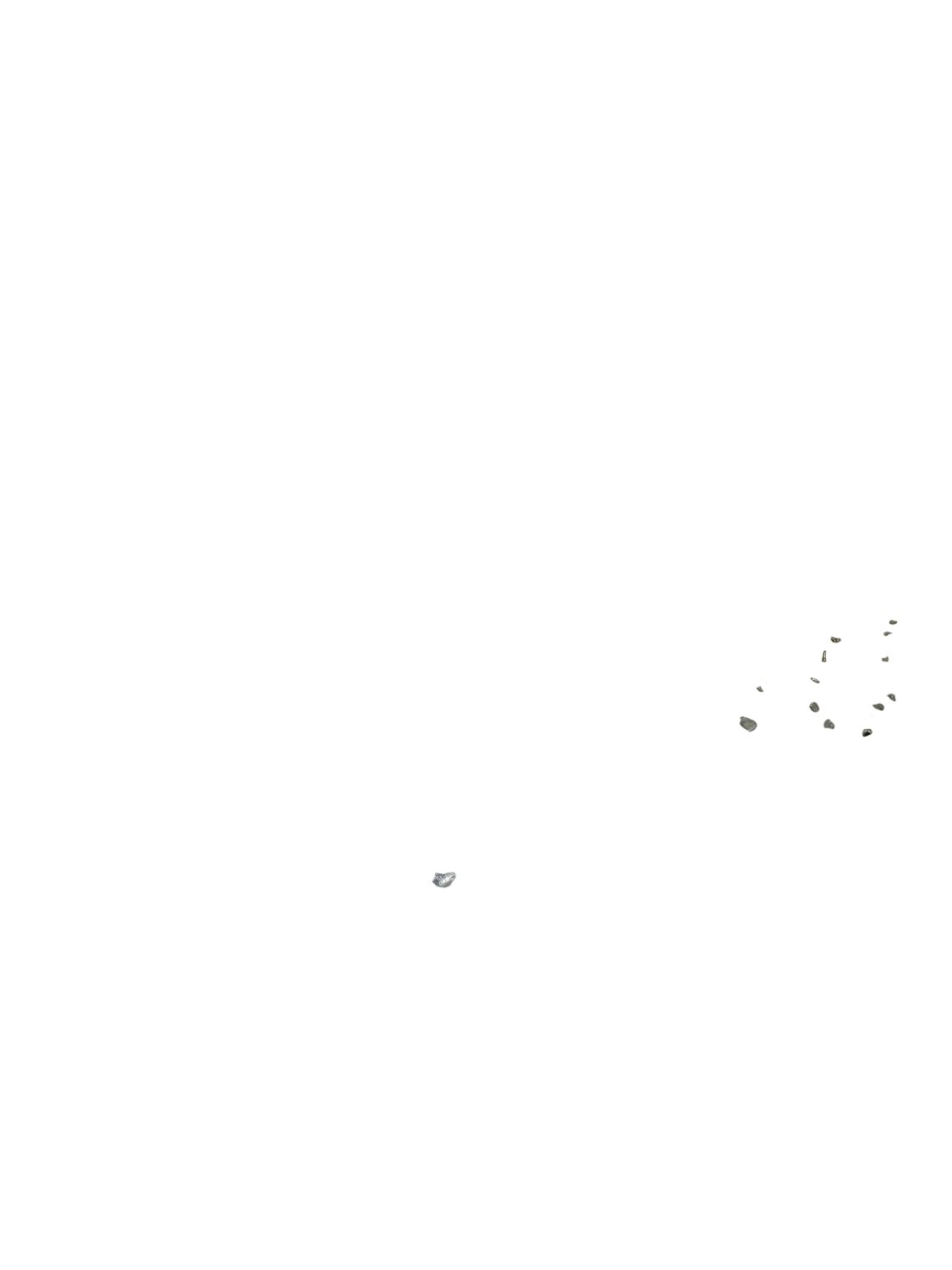
Because "AI inspection" gets described vaguely, here is the concrete shape of one output. The detection is real (RapidEye's hot tub deck finding); the card renders it the way a walkthrough finding appears to the manager, with an illustrative unit label, timestamp, and suggested task; the two detections (glass, unlatched cover) are real. Every finding carries the same fields.
Broken glass on the deck surface beside the hot tub
Location: deck, right of the tub cover. Not present in the baseline. Cover also unlatched (separate finding, minor).
- Description and location. Plain language, specific to the room: what it is and where in the room it is, so a runner can find it without watching anything.
- Category. One of three: damage, cleaning, or missing item. The category decides where the finding routes: a claim, a re-clean, or a restock.
- Severity. Minor, moderate, or major. Major findings surface first and can be routed to a manager before check-in.
- Timestamp. The second in the walkthrough where the evidence is. This is the field that makes video reviewable at all: nobody scrubs, they jump.
- Evidence pair. The baseline view of the same spot and the frame from this walkthrough, so "new versus already there" is answered before a human opens it.
- Suggested task and review state. A proposed next action, and whether a person accepted or rejected the finding, recorded against the property.
Cleaners can also flag something themselves during the walkthrough; those cleaner-flagged items arrive as findings with the same fields, labeled by source, so a manager can tell "the system found it" from "Maria flagged it" without a phone call.
What it can check
The rule is simple: if it is visible and it changed against the baseline or fails a visual standard, it is detectable. Below is the working vocabulary, grouped the way findings are categorized. These are the kinds of strings that come back, not a marketing list of "detects everything."
Damage New versus baseline
- Stain: sofa cushion, seat 2, new
- Scuff / gouge: wall, entry hall, left of door
- Chip: countertop, kitchen, near sink
- Crack: glass, patio door, lower pane
- Burn mark: nightstand, bedroom 1
- Broken: dining chair, back rail detached
- Broken glass: deck, beside hot tub
- Bent / detached: towel bar, bath 2
- Damaged: blind slats, living room, right window
- Hole: drywall, bedroom 2, behind door
Cleaning Missed or not done
- Trash left: bin, kitchen, not emptied
- Debris: floor, under dining table
- Bed not made: bedroom 2
- Bed staged incorrectly: bedroom 1, pillow count 3 of 4
- Residue: shower glass, bath 1
- Hair: bathroom floor, bath 2
- Water marks: mirror, vanity, bath 1
- Dishes left: sink, kitchen
- Towels not restocked: bath 2, bar empty
- Surface not wiped: coffee table, visible rings
- Amenities not restocked: coffee pods, kitchen
- Cleaning supplies left out: caddy, kitchen counter
- Bed not triple-sheeted: room 412 (hotel standard)
Missing item Present in baseline, absent now
- Missing: TV remote, living room console
- Missing: table lamp, bedroom 1, left nightstand
- Missing: decor, throw pillows (2), sofa
- Missing: cookware, pot lid, stovetop rack
- Missing: hair dryer, bath 1 drawer (if opened on camera)
- Moved: armchair, living room, now blocking patio door
- Moved: rug, entry, displaced from baseline
- Open / unlatched: hot tub cover
- Open: window, bedroom 2
- Left on: TV, living room
- Guest item left behind: phone charger, bedroom 1 nightstand
- Bulb out: lamp, living room, right of sofa
- Minibar item missing: room 412, per stock list
Two things worth noticing in that list. First, almost every entry names a location inside the room, because a finding without a location is a scavenger hunt. Second, the "missing" and "moved" column depends entirely on the baseline: generic software does not know a unit is supposed to have four throw pillows; a per-property baseline does. That is also why the baseline sharpens over the first few turnovers on a new property, and why review decisions are recorded against it.
What video catches that a photo checklist misses
This is not a photos-versus-video verdict; we wrote those separately for short-term rental turnovers and long-term rental move-ins and move-outs. The short version of what a walkthrough adds when the analysis layer exists:
- Coverage by default. A photo checklist documents the twenty places you told the cleaner to point the camera. A walkthrough documents the path between them: the wall behind the door, the floor under the table, the deck around the tub. The finding above sits in a spot no photo checklist we have seen asks for.
- Omission resistance. A cleaner can frame a photo generously. It is much harder to walk a room on video and keep a broken chair out of every frame, and the timestamp makes "the room was clean when I left" a checkable statement rather than a claim.
The other advantages (many viewpoints of the same object, and seeing a drawer opened rather than inferring from a closed one) are argued in full on the two comparison pages above.
What it cannot check
Being specific about limits is what separates a tool an operator can rely on from a demo. The list below is what stays on the human checklist, and why. The middle column is the honest verdict; "if filmed" means detectable only when the walkthrough deliberately shows it.
The practical consequence: an operator does not remove the human checklist. They shrink it to the items in the "No" rows, and let the walkthrough carry everything visual. Supervisors stop walking every unit and start opening findings, and a random sample of "clean" walkthroughs still gets a physical spot check, because that sample is how you learn what the route is missing.
What a walkthrough needs to contain
Because the analysis can only see what the camera passed, the walkthrough route is the real configuration surface. This is the shape we recommend; it is deliberately boring.
Length. Long enough to walk that route at walking pace: roughly one to two minutes for a studio or one-bedroom, three to five for a larger home, longer for a property with extensive exteriors. RapidEye lets managers set a minimum walkthrough length, so a ten-second clip is counted as an incomplete inspection instead of treated as a complete one.
Camera. Any modern phone. Landscape or portrait both work; steady and slow matters far more than resolution. Turn lights on before recording. Do not narrate for the analysis; narration is for the human reading the report, and the tool does not need it.
Wet areas last, or close. Bathrooms draw the harshest review comments and offer the smallest evidence, so the route should pass close and slow, not sweep from the doorway.
Where the category stands today
An operator evaluating this should know how rare the analysis layer still is inside the software they already run. In RapidEye Research's survey of hotel housekeeping and PMS platforms, none of the nine platforms reviewed had a video inspection workflow; one accepted video clips as attachments to an issue. On the vacation-rental side, two of the eight major operations platforms capture video in a task, and neither analyzes it. The dominant pattern is the one CompanyCam and Mitti document: store the clip, cap its length, let a human open it if there is a complaint.
| What the software does with video | Who does it | What the operator gets |
|---|---|---|
| Stores it | Most field-service and inspection apps: video attached to a task or a checklist question, capped at a few minutes (Mitti: up to three minutes per question; CompanyCam: under 5 or 10 minutes depending on plan) | A record nobody watches unless there is a dispute. Review time is the bottleneck, so it stays exception-only. |
| Transcribes around it | Narration-driven "AI walkthrough" features that turn voice notes and photos into a report (CompanyCam's AI Walkthrough, per its help center) | Faster write-ups. The footage itself is not inspected; what was said is. |
| Analyzes it | AI video walkthrough inspection: RapidEye analyzes the walkthrough against the property baseline and returns timestamped findings | Every turnover reviewed, humans handle only findings. Video becomes viable at portfolio scale. |
The evidence value is real regardless of who analyzes it. According to Airbnb's AirCover for Hosts damage reimbursement help article (airbnb.com), hosts should "document the issue by taking photos or videos, getting repair or cleaning estimates, and/or receipt" and file within 14 days of the responsible guest's checkout. A walkthrough recorded at every turnover is that documentation, produced before you know you need it, which is the only time it can be produced.
Quick FAQ
What is AI video walkthrough inspection?
Software that analyzes a continuous phone video of a room or unit, compares what the camera passed against that space's own baseline, and returns findings: damage, missing items, missed cleaning, and items out of place, each with a location, a severity, and a timestamp into the video. A person reviews the findings; the software's job is to make sure every room gets looked at, not to make the final call.
Does AI actually analyze the video, or just store it?
Most inspection and field-service software stores video as an attachment or builds documentation from the narration and photos taken alongside it. AI video walkthrough inspection is different: the video itself is the evidence being analyzed. RapidEye analyzes the walkthrough footage against the property's baseline and returns findings that point to a specific second in the video. CompanyCam's help center, for example, describes its AI Walkthrough as creating a summary from voice input and photos.
What can AI video walkthrough inspection detect?
Anything visible that changed against the baseline or fails a visual standard: new stains, scuffs, chips, cracks, and burns; broken, bent, or detached fixtures and furniture; missing items such as remotes, lamps, decor, and cookware; items moved or rearranged; trash and debris left behind; unmade or incorrectly staged beds; wet-area cleanliness (visible residue, hair, water marks); doors, covers, and windows left open or unlatched. Findings are categorized as damage, cleaning, or missing item and rated minor, moderate, or major.
What can it not check?
Anything the camera cannot see, or that a visual analysis cannot judge from a video: odor (smoke, pets, mildew), water pressure and temperature, HVAC performance and noise (audio is not analyzed), mattress condition under the sheets, drain speed and appliance function unless the cleaner runs them on camera, and the inside of closed drawers, cabinets, and closets unless the cleaner opens them on camera. Those stay on the human checklist. Anything the walkthrough skips is also invisible to the analysis, which is why the walkthrough route matters.
How long should a walkthrough video be?
Long enough to cover every room and wet area at walking pace with the camera held steady at chest height. In practice that is roughly one to two minutes for a studio or one-bedroom and three to five minutes for a larger home. RapidEye lets managers set a minimum walkthrough length so a ten-second clip is counted as an incomplete inspection rather than treated as a complete one.
Is a video walkthrough accepted as damage evidence?
Airbnb's AirCover for Hosts damage reimbursement help article tells hosts to document damage by taking photos or videos, along with estimates or receipts, and to file within 14 days of the responsible guest's checkout. A timestamped walkthrough recorded at each turnover establishes the condition immediately before and after a stay, which is the part of a claim that is hardest to reconstruct after the fact. See our AirCover claim guide for the full process.
How long until findings come back after a walkthrough is uploaded?
Findings are ready about an hour after the walkthrough finishes uploading, which for most turnovers means before the next check-in. Nobody has to watch the video for that to happen; the timestamps take a reviewer straight to each finding if they want to see it.
Is recording video inside a rental a privacy problem?
Walkthroughs are recorded at turnover, when the unit is unoccupied, and the only person who appears is the cleaner holding the phone. Treat it like any other workplace recording: tell cleaners it is part of the job, keep footage access limited to operations staff, and never record while a guest or resident is present. In long-term rentals, resident-recorded walkthroughs at move-in and move-out follow the same rule in reverse: the resident films their own unit.
Sources
Sources are named at the publisher level with their root domain, rather than linked or titled; every figure is verifiable at the named source.
- Help center documentation on AI features and video uploads, CompanyCam, 2026companycam.com
- Help documentation on attaching media to inspection questions, Mitti (formerly SafetyCulture), 2026safetyculture.com
- AirCover for Hosts damage reimbursement help article, Airbnb, 2026airbnb.com
- Video-support surveys of hotel housekeeping platforms and vacation rental operations platforms, RapidEye Research, 2026rapideyeinspections.com