

What Claude can do with RapidEye
Ask Which homes had damage, what a cleaner missed, which homes nobody recorded. Claude reads your reports and answers.
Act Comment on and tag findings, sign off reports, and create tasks in your PMS.
Set up Add homes, start walkthroughs and write or copy checklists. Owners and admins can also build baselines and invite teammates.
It works in every workspace you're in, with your role in each. Claude asks before it changes anything.
Connect in five steps
You need a RapidEye account as an owner, admin or member, and Claude on any plan with custom connectors (Free, Pro, Max, Team or Enterprise). This is the address you give Claude:
https://api.rapideyeinspections.com/mcpOpen Connectors in Claude
In Claude, open Customize, then Connectors, and press + Add, then Add custom connector.
On Team or Enterprise, an owner adds it once under Organization settings, Connectors, then each person presses Connect.
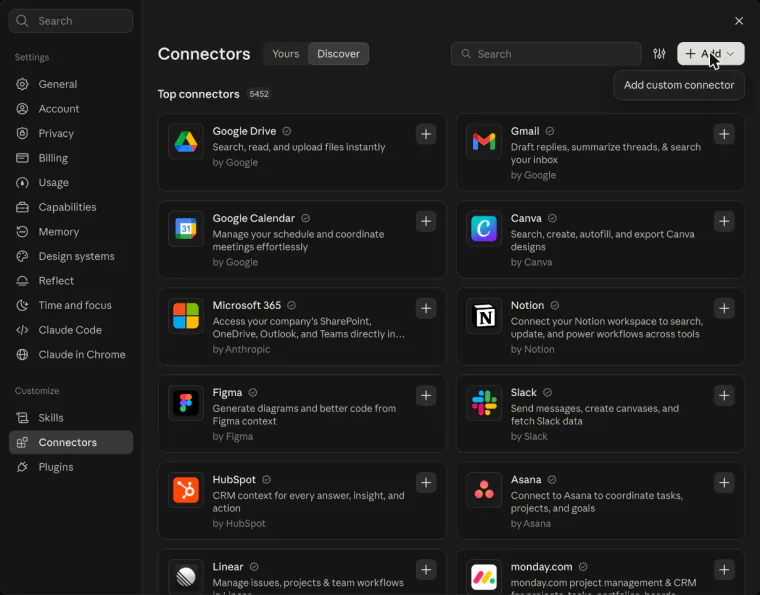
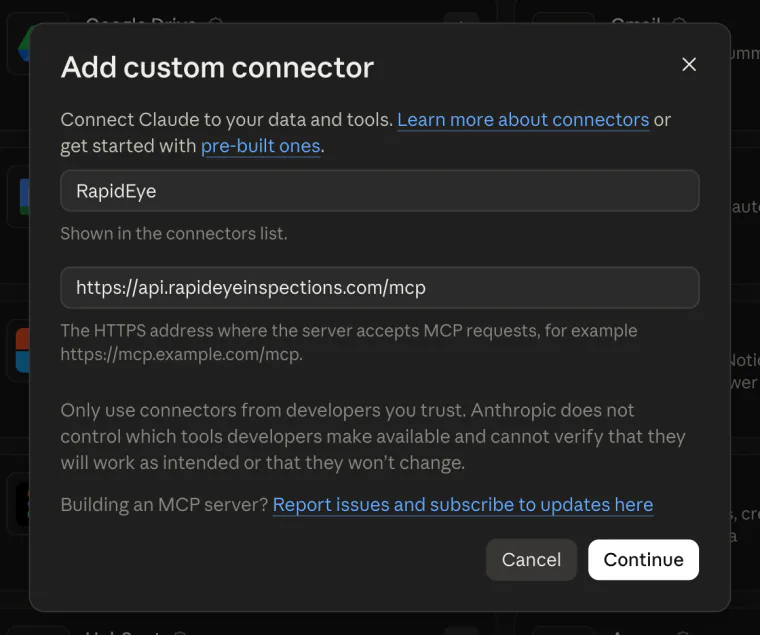
Add RapidEye
Name it RapidEye, paste the address above as the server URL, and press Continue.
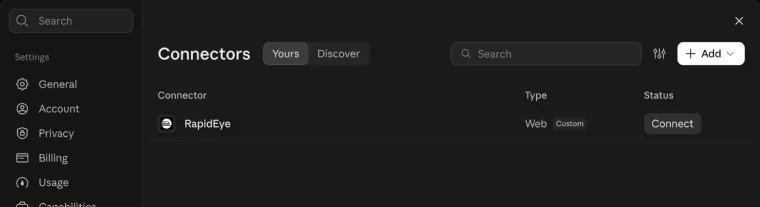
Press Connect
Press Connect next to RapidEye. A RapidEye page opens; sign in with your RapidEye email or Google account if it asks.
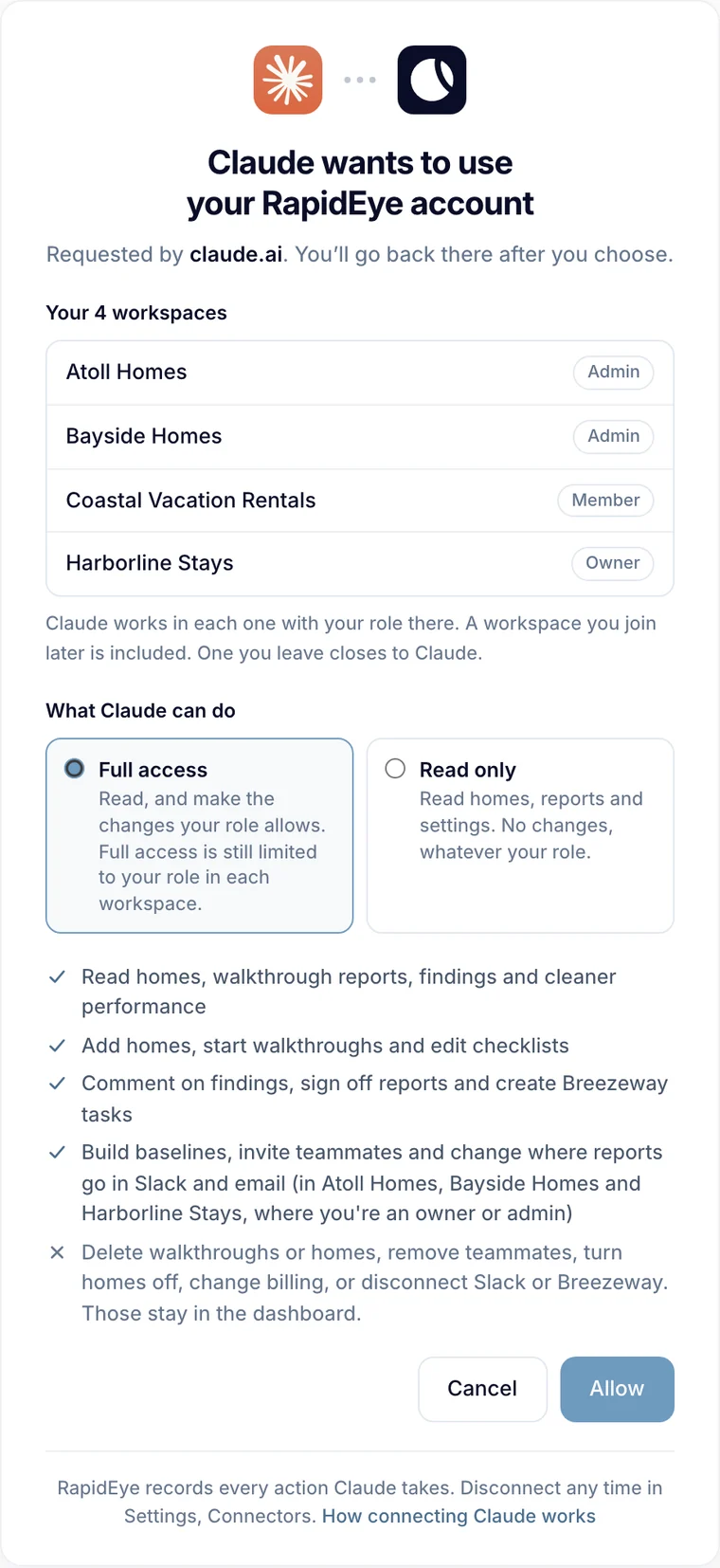
Choose what Claude can do
Pick Full access or Read only, then press Allow. Every workspace you're in is listed with your role.
The workspace names here are examples.
Ask away
Back in Claude, check RapidEye is on under +, Connectors in the message box, then ask.
The workspace names here are examples.
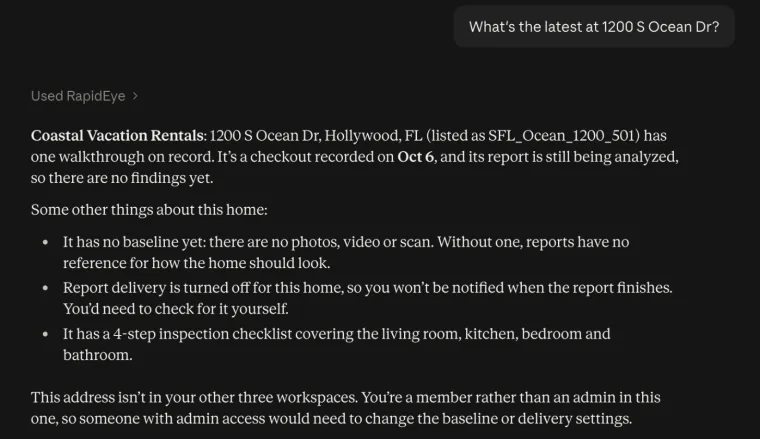
What you can ask
- Which homes had damage this week?
- What did the cleaner miss at Harbor View 4B?
- Which homes has nobody recorded in the last two weeks?
- Who skipped the most checklist steps in September?
- What's left to set up Harbor View 4B?
- Copy Harbor View 4B's checklist to our three new homes.
In more than one workspace? Name the workspace or the home. For a broad question, Claude checks each workspace and labels every answer with the one it came from.
Read only or Full access
Full access lets Claude make the changes your role allows in each workspace; Read only lets it look and never change anything.
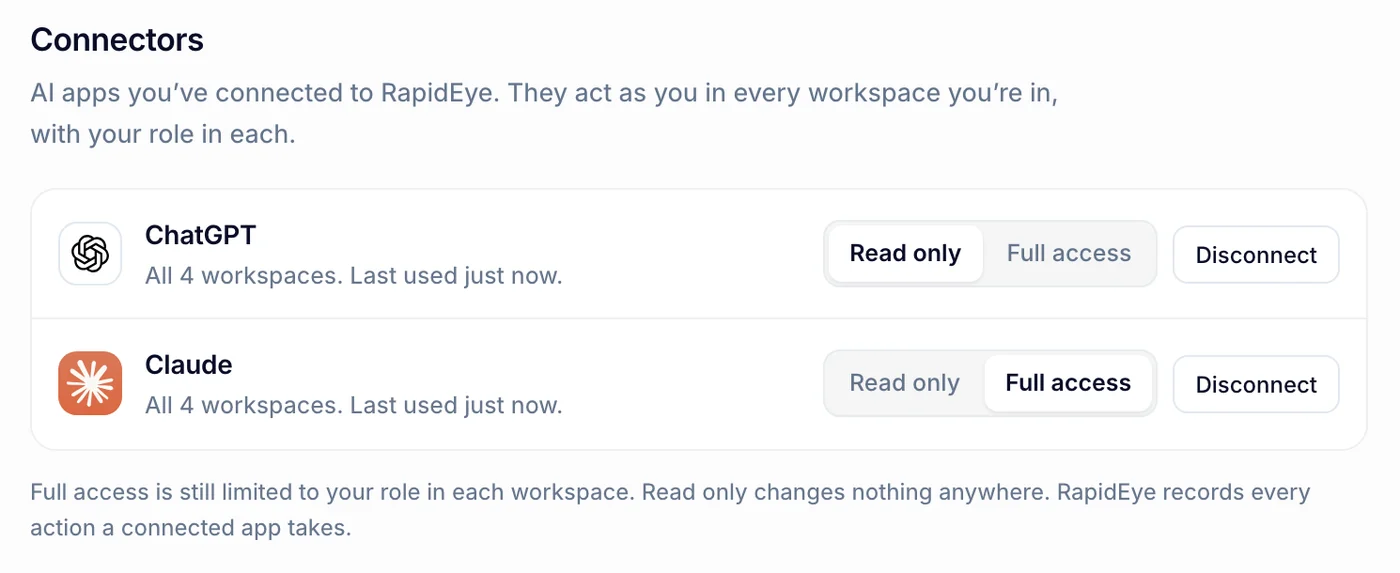
Switch, or disconnect, any time in RapidEye under Settings, Connectors. A switch applies from Claude's next request.
Good to know
- Deleting, billing, removing people and your PMS keys stay in the dashboard. Ask for one and you get a link to the right page instead.
- Signing off a report can't be undone, so check which reports Claude names before you allow it.
- RapidEye records every action a connected app takes.
- A connection ends when you disconnect it, after 90 days unused, or when you leave every workspace. Leaving one workspace closes only that one.
- RapidEye staff accounts and the support login can't connect.
Using ChatGPT instead? See Connect ChatGPT to your properties.